
Speak up
The Speak up module enables employees and other reporters to raise concerns about misconduct or unethical behavior, and helps compliance teams review and resolve those reports.
Speak up can run alongside CoI as an independent module. Your organization can use Speak up, CoI, or both.
Speak up experiences
| Experience | Location | Primary users |
|---|---|---|
| Form and category setup | Resolution Hub > Administration | Compliance and Ethics administrators |
| Report submission | Vault | Employees and non-employees |
| Case review | Resolution Hub > Cases > Manage cases | Case managers and super admins |
How Speak up works
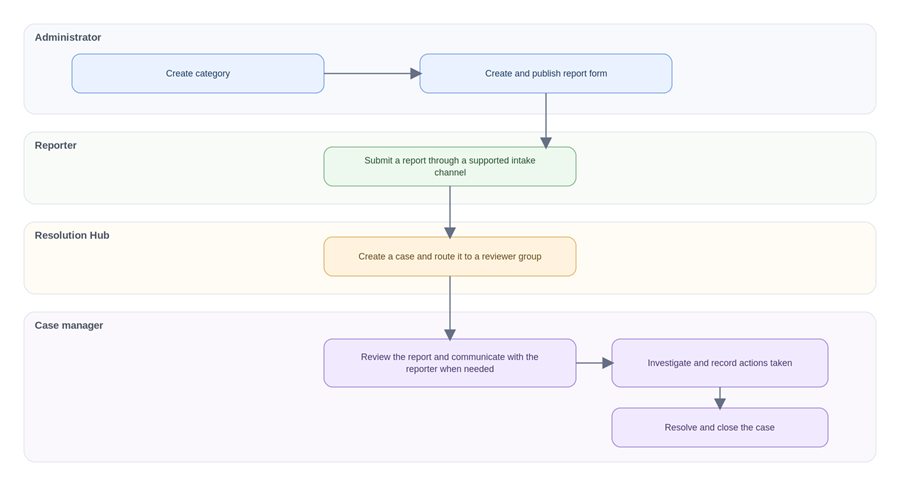
This diagram depicts the Speak up workflow:
Intake channels
Depending on your organization’s plan and configuration, reporters can submit reports through channels such as:
-
Vault, the authenticated reporter portal
-
Open Reporting, a public reporting link
-
The mobile app
-
Slack
-
VaultTalk phone intake
Reporters can submit a report anonymously when the intake channel supports it. When a reporter remains anonymous, case managers can communicate with the reporter without revealing the reporter’s identity.
